
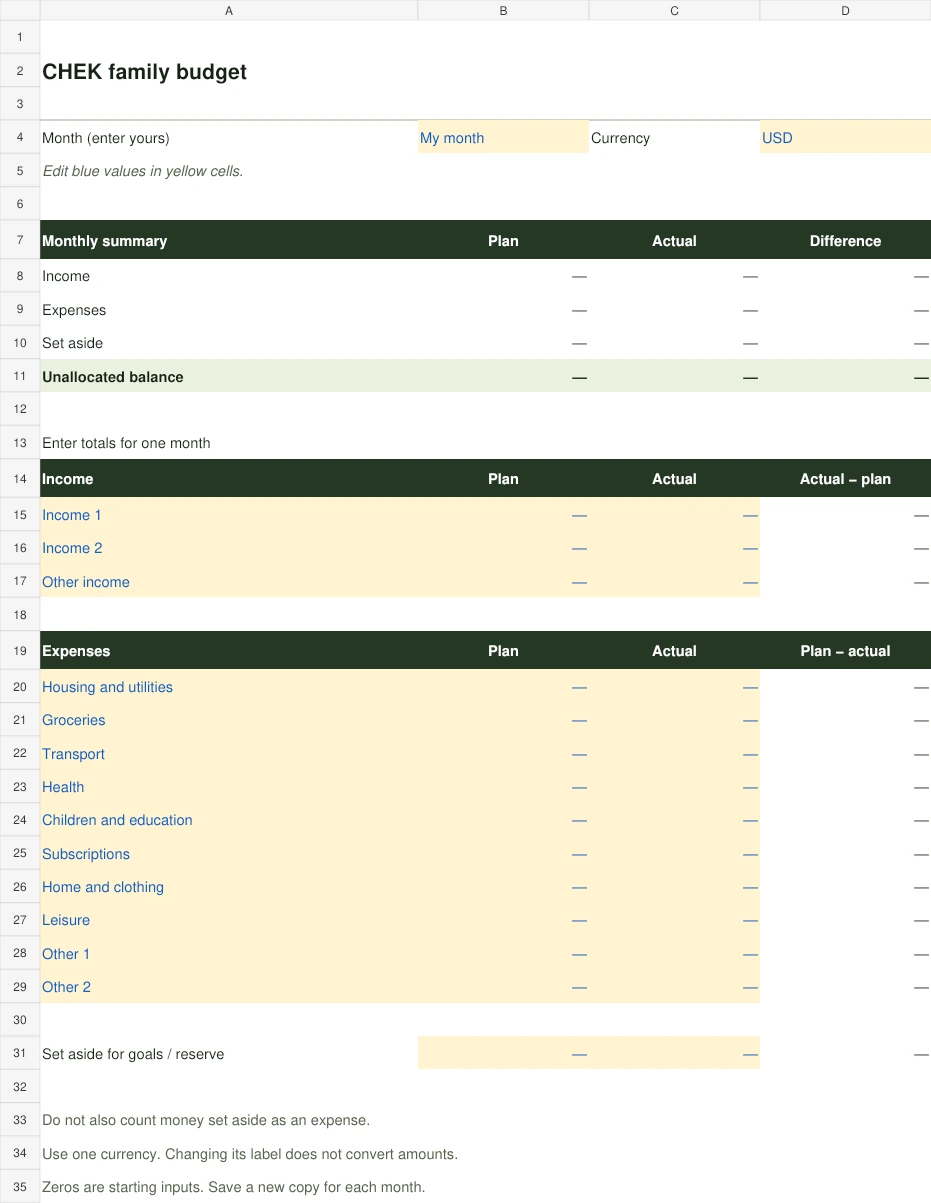
What the spreadsheet includes
One worksheet for one month: three income sources, ten expense categories and a separate allocation for savings or a reserve. The summary calculates total income, expenses and your remaining unallocated amount. No macros or bank connection are required.
How to fill in the template
Enter your month and currency label. Edit the blue values in yellow cells: category names, planned amounts and actual amounts. Starting zeros are blank-template inputs, not a recommended budget. Fill in your plan at the beginning of the month and update actuals as you go. Save a new copy for each month.
Example: calculating your remaining balance
In this hypothetical USD example, a household receives 4,000, spends 2,800 and sets aside 500. The unallocated balance is 700. Money set aside for savings is counted separately, so do not also enter it as an expense.
| Item | Amount, USD |
|---|---|
| Income | 4,000 |
| Expenses | 2,800 |
| Set aside | 500 |
| Remaining | 700 |
Understanding planned versus actual amounts
For expenses, the difference is plan minus actual: a negative value means spending exceeded the plan. For income and money set aside, the difference is actual minus plan. A negative total balance means expenses plus savings allocations exceed the income entered. Review your records and adjust the allocation.
From a spreadsheet to shared expense tracking
The file provides a monthly planning view. CHEK lets you record expenses and work with a shared family budget in the app. This spreadsheet does not synchronise with CHEK or import automatically. App access is paid.
App and feature availability can vary by country, version and data source. Price search does not guarantee coverage of every retailer. Check device compatibility and installation availability on Google Play.