
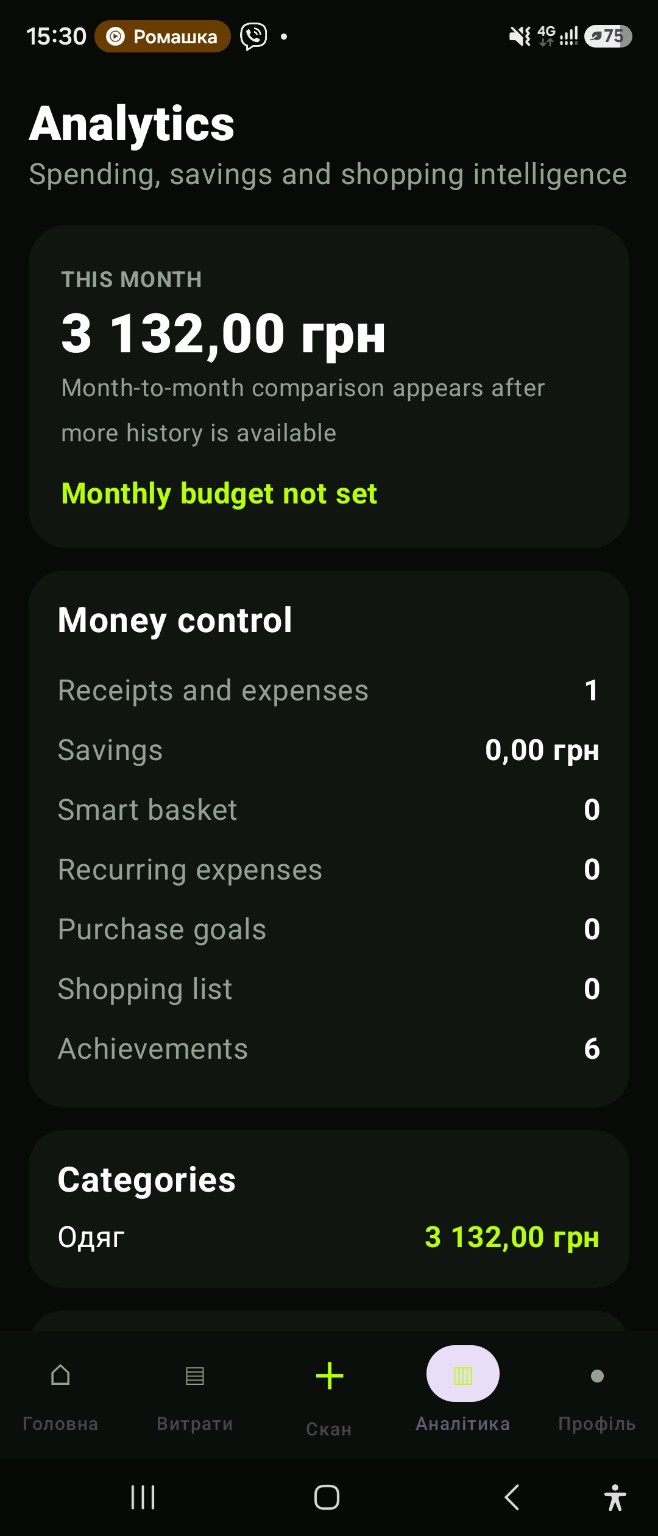
Start with purchases you already make
You do not need to organise your entire financial life before starting. Record today’s purchases: scan a receipt or add an expense manually. Manual entry is useful when there is no receipt or taking a photo is inconvenient. Return to your history when you need to review a purchase.
Look beyond the total
A monthly total shows the scale of your spending. Categories help explain what makes up that total. Set a monthly budget in preferences, then compare your recorded expenses with your own plan. The aim is to understand your habits, not to follow a budget chosen for you.
Make room for recurring payments
Subscriptions and repeat payments can get lost among everyday purchases. CHEK NEXT gives recurring expenses their own section. Review upcoming payments when planning your month and keep savings goals alongside day-to-day records.
Choose a routine you can maintain
Try recording a purchase after checkout and reviewing your history once a week. Your analytics are only as complete as your records: missing expenses leave gaps in the overview. Export CSV data when you need to continue working in your own spreadsheet.
Offline records and Voice CHEK
Save manual expenses without a connection and sync them later. A record retains its purchase date and currency and belongs to the account in which it was created. For quick entry, use Voice CHEK: dictate a phrase and review the draft before confirming.
Start expense tracking in seven days
Record today’s purchases, then add spending each day for a week. Use manual entry when there is no receipt. Check subscriptions and other recurring payments separately. On day seven, compare the history with your actual payments and review categories. You can build a useful starting point without reconstructing the whole year.
A worked weekly example
These hypothetical USD amounts illustrate payments already made, not local prices or recommended spending limits. The total is USD 380. Do not record a subscription twice if it is already included in a saved receipt or manual entry.
| Category | Weekly amount |
|---|---|
| Groceries | USD 240 |
| Transport | USD 60 |
| Cafés | USD 50 |
| Subscription | USD 30 |
| Total | USD 380 |
Turn your history into a spending plan
History describes money already spent. To plan ahead, start with your current balance and subtract only upcoming essential payments. Use the online calculators to allocate the remainder and review subscription costs.
A manual expense tracker or a spreadsheet?
Manual entry works for spending without a receipt. A checked receipt scan can help record a purchase with multiple items. A spreadsheet is useful when you want your own columns and calculations; use CSV export to continue working with your records there. Choose a routine you can maintain and reconcile the totals regularly.
Tools for your next step
Continue with a practical example or use a website tool.
App and feature availability can vary by country, version and data source. Price search does not guarantee coverage of every retailer. Check device compatibility and installation availability on Google Play.
Expense tracking on Android without a complicated spreadsheet
CHEK gives you two straightforward ways to record a purchase: use the receipt scanner or add an expense manually. Consistent records then support spending analytics, categories and comparison with the monthly budget you choose.
What should an everyday expense tracker help you see?
A useful expense tracker should make it easy to return to individual purchases while also showing the month in context. In CHEK, expense history connects with categories, a monthly budget, recurring payments and savings goals so everyday entries are not isolated records.
Frequently asked question
Can I track an expense without a receipt?
Yes. Add the expense manually when a paper receipt is unavailable or unreadable, then review the entry in history alongside scanned purchases.