
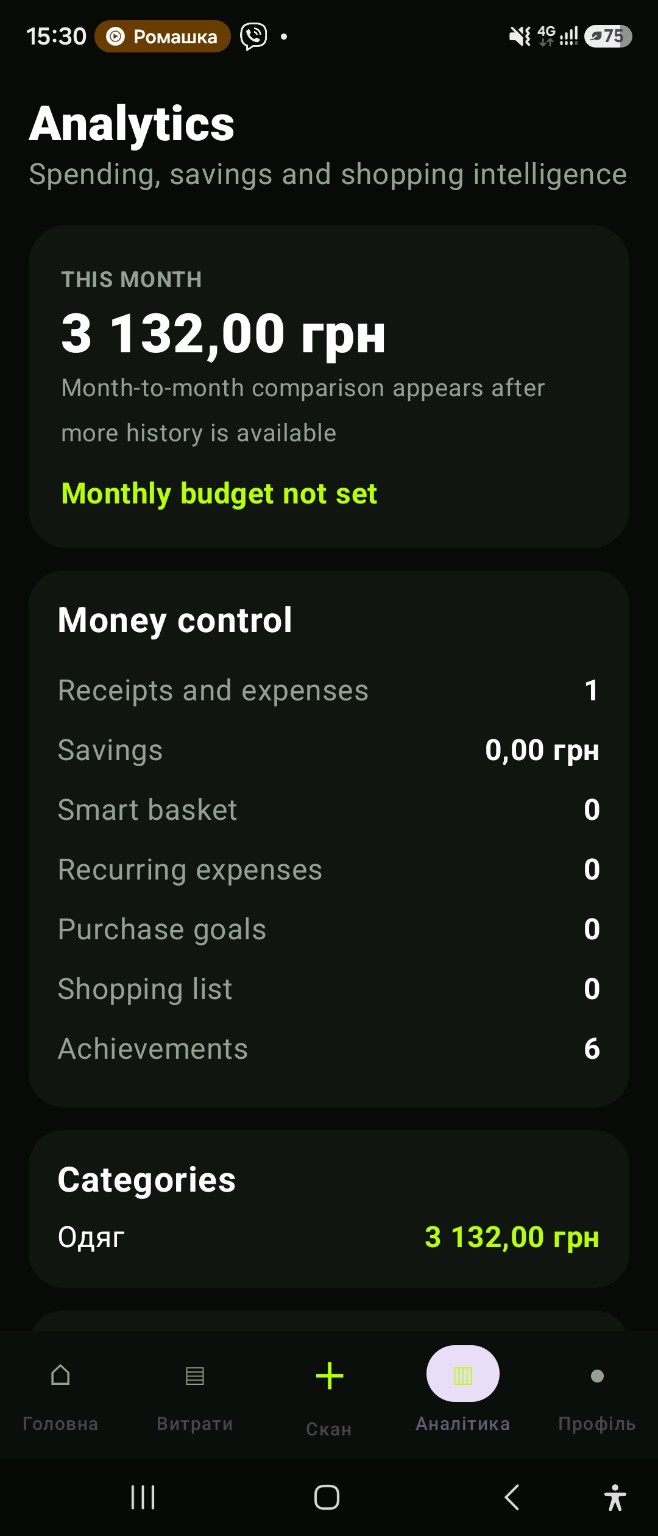
See the month as a whole
Small purchases are easy to underestimate individually. A monthly overview brings the total and its categories together. Use it to spot which types of spending have more impact than you expected. The figures describe the purchases recorded in CHEK.
Use your budget as context
Set your own monthly reference amount and compare it with recorded expenses. The budget does not prevent purchases or determine your bank balance. It helps you see how your day-to-day records relate to the plan you chose.
Look ahead to repeat payments
A current spending total alone can leave out upcoming commitments. Review recurring payments and savings goals alongside the month’s purchases. This gives you a broader planning context without turning an estimate into a guaranteed available amount.
Improve the records behind the chart
Combine receipt scanning with manual entries to reduce gaps. Check unclear totals and avoid duplicates when replacing a manual record with a receipt. More complete information makes category comparisons and monthly reviews more useful.
An updated financial overview
CHEK 2.0 uses purchase dates, item categories and the account currency for monthly totals. Expenses in other currencies remain separate without automatic conversion. Remaining budget and actual contributions to savings goals are separate amounts.
App and feature availability can vary by country, version and data source. Price search does not guarantee coverage of every retailer. Check device compatibility and installation availability on Google Play.
Spending analytics on Android: turn records into a monthly view
Spending analytics becomes useful when individual purchases can be reviewed by category and compared with the monthly budget you set. Start with reliable records from the expense tracker and receipt scanner, then use the monthly view to spot which categories are shaping the total.
Why complete records matter
Analytics can only reflect the expenses you record. Missing cash purchases or skipped receipts leave gaps, so combine manual entries with scanned receipts and review recurring payments before drawing conclusions about a month.
Frequently asked question
Why can spending analytics look incomplete?
The monthly view only reflects expenses that were recorded. Combine scanned receipts, manual entries and recurring-payment checks to reduce gaps.