CHEK app iconCHEK.
UAEN
Download on Google Play
Developer

How CHEK works

From a purchase to clear expense records

Explore real screenshots and choose your workflow: personal expenses, family or business. Read the steps behind each scenario below.

CHEK 2.0.0 is available on Google Play. Personal finances, shared family budgets and business expenses in one Android app.

Choose a workflow

Actual screenshots from an earlier version. Screen language may differ from the website language. This is not an interactive copy of the app.

Personal expenses — Entry and analytics

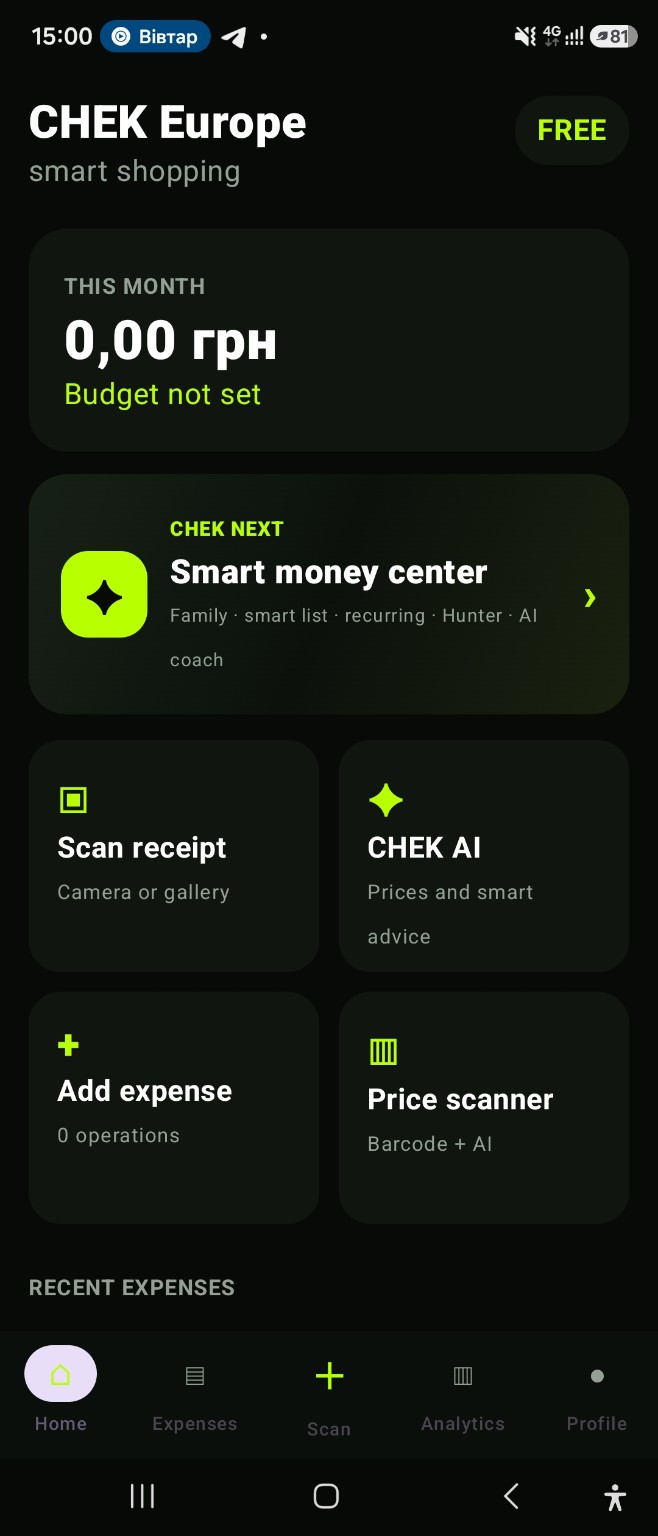
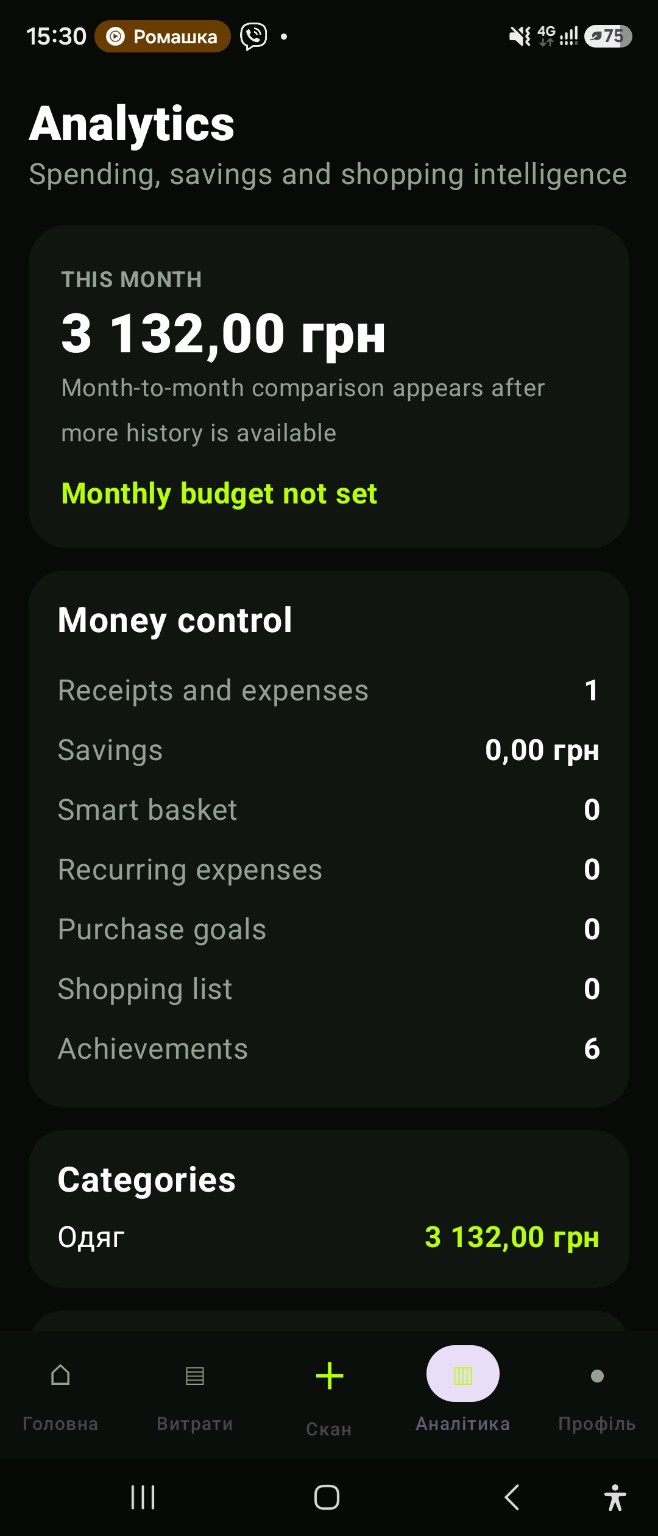
The home screen includes receipt scanning and manual expense entry. The second screen shows analytics based on recorded purchases.

Entry and analytics (1)
Earlier version. Select to enlarge.
Entry and analytics (2)
Earlier version. Select to enlarge.
Family — Entry to family tools

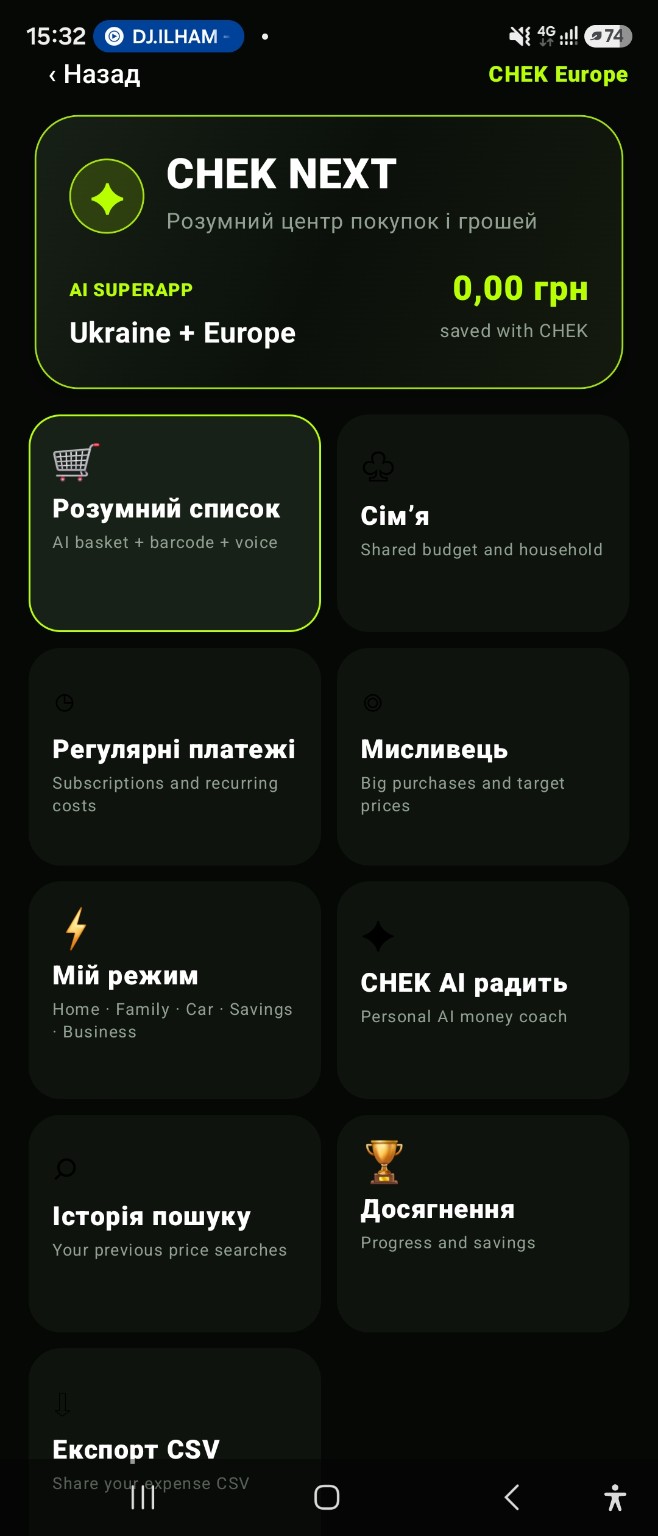
CHEK NEXT shows the entry point to the family section. The family creation and invitation workflow is explained below.

Entry to family tools (1)
Earlier version. Select to enlarge.
Business — Entry to work records

CHEK NEXT includes a business mode. This is a tools hub screenshot, not a detailed business report.

Entry to work records (1)
Earlier version. Select to enlarge.

Current access terms ↗

Purchase: record, review, understand

After a purchase, add an expense manually or scan the receipt. Review the recognised amount and category before saving. Return to analytics to see that purchase in the context of the month. The accuracy of the overview depends on the completeness of the records you enter.

Family: agree on shared recording rules

Create a family and invite members with a code. Agree on a monthly budget and which purchases belong in shared records. Before adding a purchase, check whether another member has already recorded it to avoid counting it twice.

Business: separate work purchases

Mark work records and review them separately from personal spending. Before exporting, compare the date, amount and purpose with the original record. Export helps prepare your own records; it is not a tax filing.

What the demonstrations show

These are screenshots from an earlier app version, not a recording of CHEK 2.0. The home screen shows tool entry points, analytics shows an example overview, and CHEK NEXT shows entry points to family and business tools. Detailed family and business screens are not shown here. The interface and pricing labels may differ from the current version.

Getting started

Choose one workflow and enter a few of your own records, checking the amounts. Use the free website tools for an initial plan. Review paid app-access terms before purchasing.

App and feature availability can vary by country, version and data source. Price search does not guarantee coverage of every retailer. Check device compatibility and installation availability on Google Play.

RELATED FEATURES

Your next step with CHEK

Use a free website tool for a calculation, or explore the paid Android app for ongoing personal, family and business expense records.

Contact the developer ↗Developed by SoftwareAIdev ↗

This site counts page openings, calculator use, template downloads and Google Play clicks without cookies or visitor identifiers. Entered names and amounts are not sent.