From purchase to budget
Add an expense or receipt, review the category and check your monthly spending overview.
 CHEK.Download on Google Play
 FOR ANDROIDAvailable on Google Play
Personal finances, shared family budgets and business expenses in one app. Plan payments and goals, explore purchases with AI and forecast spending from your records.
Official website of CHEK: Smart Spending & AI
CHOOSE YOUR TASK
Three workflows with actual app screenshots. Screens are from earlier versions; the 2.0 interface may differ.
Add an expense or receipt, review the category and check your monthly spending overview.
Create a family, invite members with a code and review recorded expenses alongside the shared budget.
Tag a purchase as business, review work records and export data for your own bookkeeping.
No sign-up. Check your daily budget or annual subscription costs.
TRY IT NOW
Three numbers and a daily reference. No sign-up.
After essential payments
Daily spending reference
Based on your inputs. Future income and unrecorded expenses are not included.
The app has paid access. Review terms before paying. These figures are not transferred automatically.
Amounts are processed only in your browser. We do not send or store them.
CHEK 2.0
Financial pulse and forecasts. A shared family budget. Price history from your purchases. Voice entry with a review before saving.
CHEK 2.0 is now on Google Play. Install or update the app to explore the new features.
Financial Brain brings expenses, budgets, recurring payments and goals into one CHEK 2.0 overview. Review the context behind a suggestion before deciding what to change.
Learn moreCreate a family or join with a code. Review the monthly budget, members’ recorded expenses and remaining amount in one family overview.
Learn moreMarket Intelligence turns saved receipt items into personal price history. Start with purchases already recorded in CHEK, even when your shopping list is empty.
Learn moreVoice CHEK adds speech input to everyday expense tracking. Dictate a short record or type it, check the recognised title and amount, then confirm the expense.
Learn moreTAKE A LOOK INSIDE
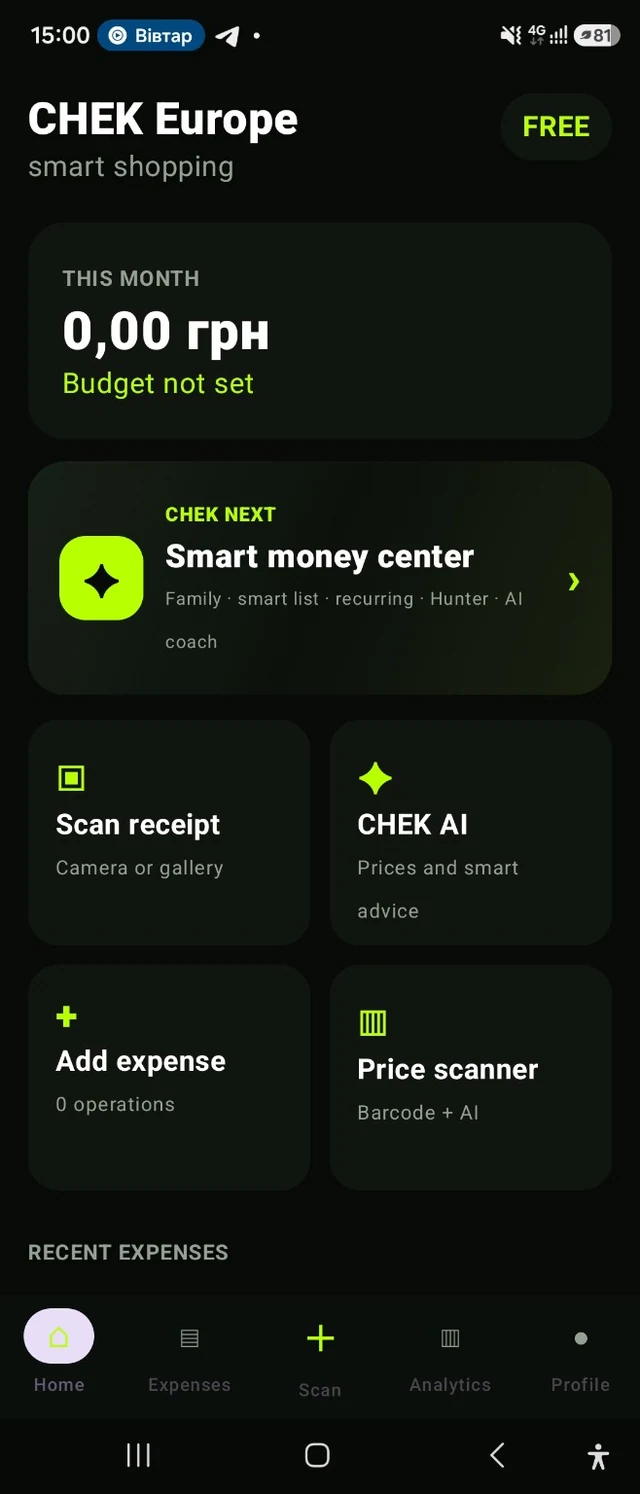
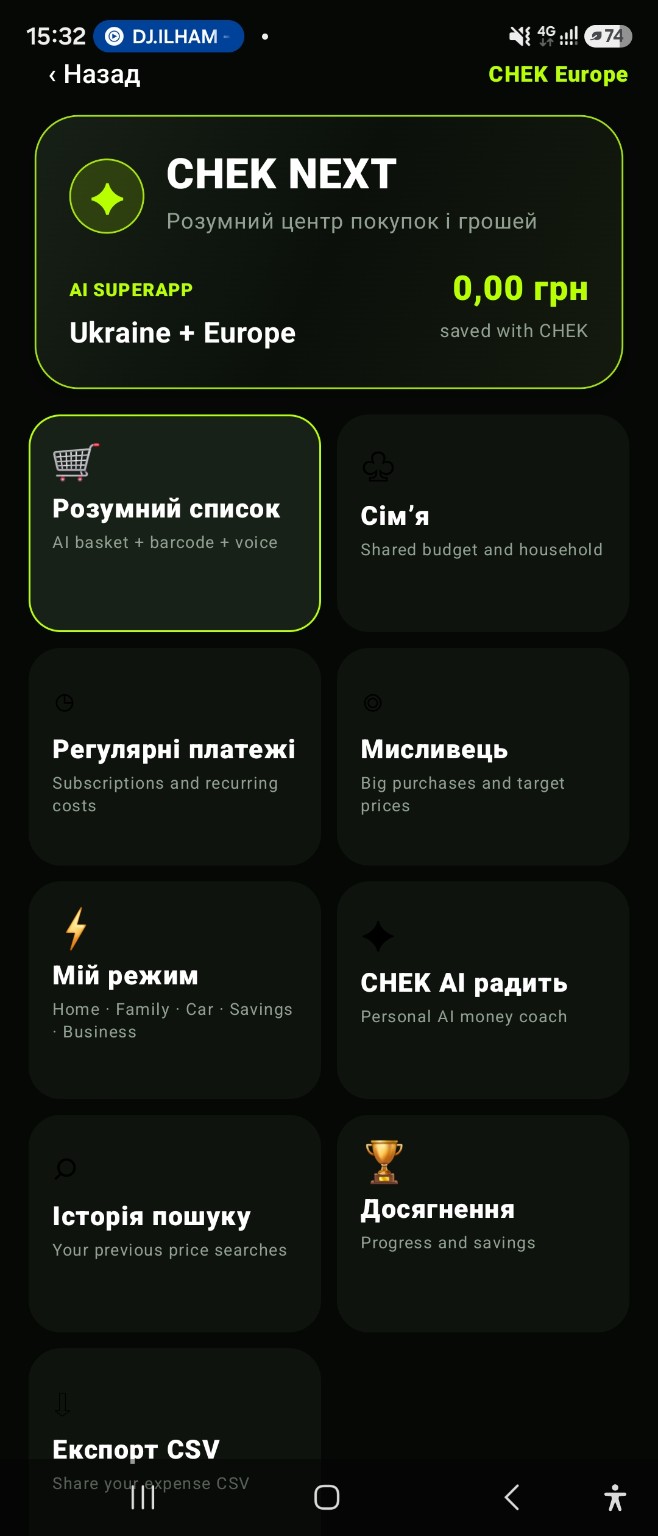
Home, analytics, the CHEK NEXT hub and personal tools. Open a screen to take a closer look.
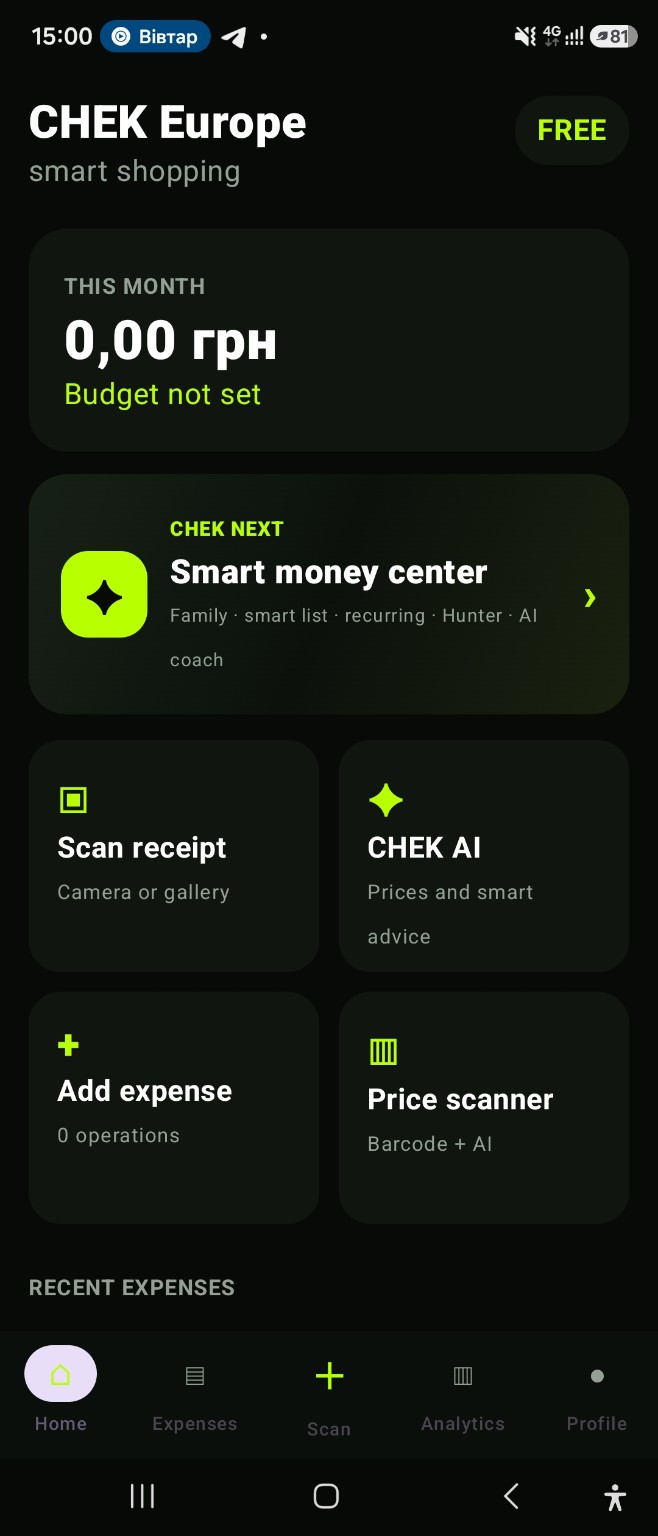
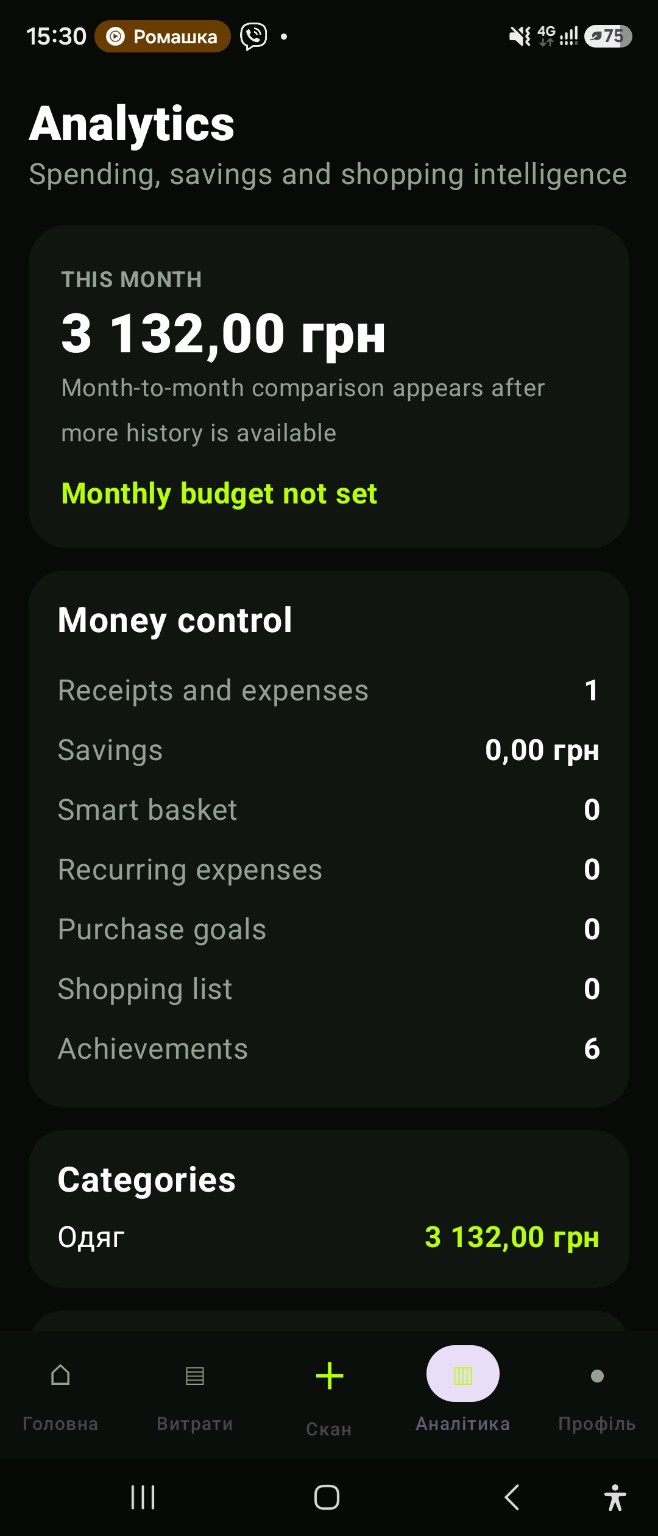
Monthly spending, receipt scanning, AI and price search.
Lists, family plans, payments, goals, AI and more.
Monthly spending, categories, your budget and related tools.
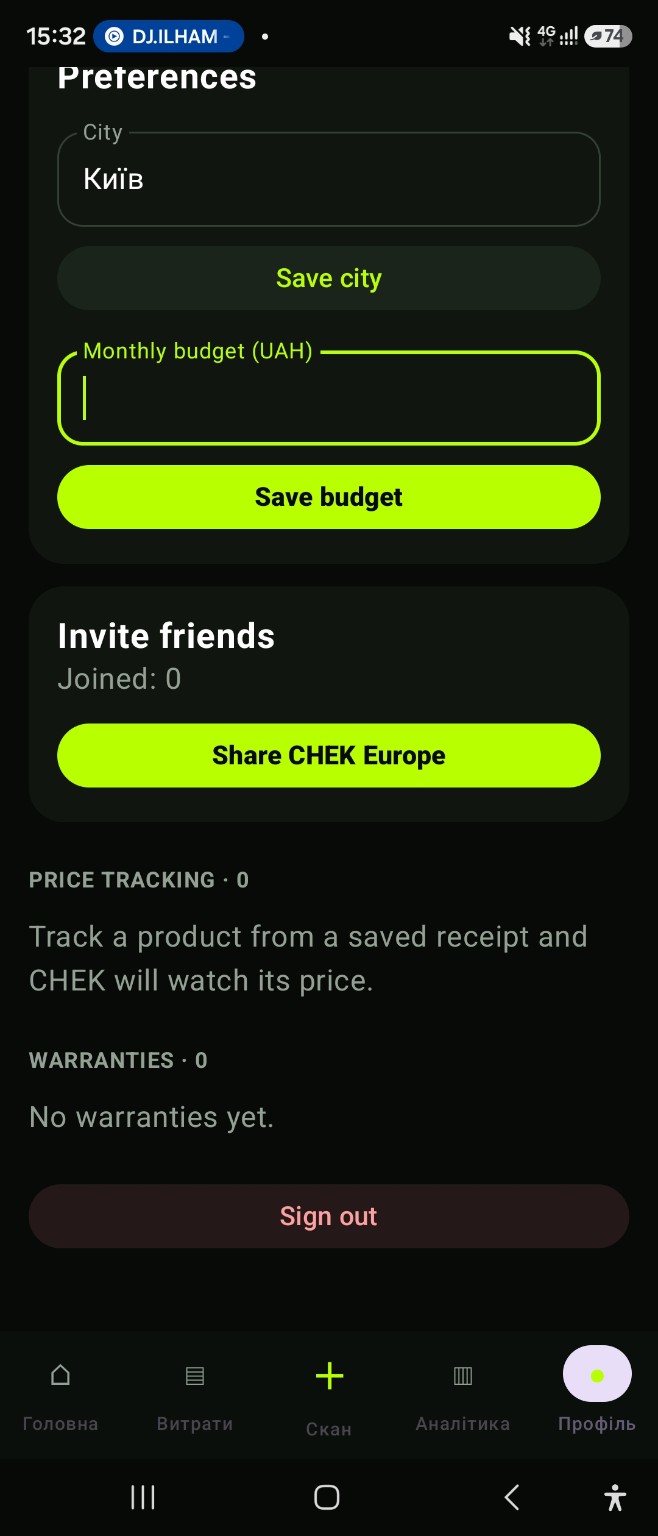
Personal settings, friend invitations and saved products.
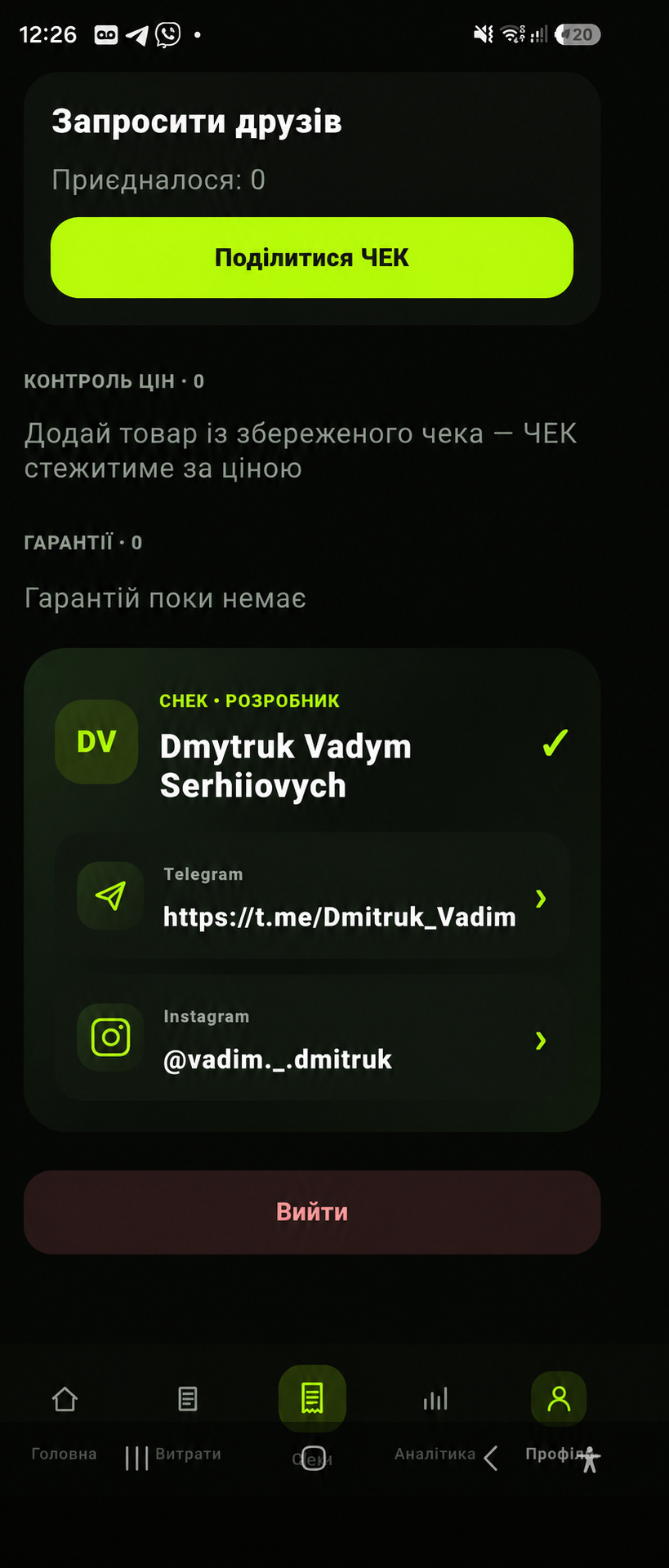
Product tracking, warranty periods and developer contact details.
Screens from pre-release versions. The interface may differ by app version and selected language.
EXPLORE YOUR CHEK
From your first receipt to family plans and business expenses. Choose a feature and open the details.
From a photo to a purchase record.
Use the camera or choose a photo. Edit the store, date, currency, total and item lines before saving.
Record the things you might forget.
Add a purchase manually when you do not have a paper receipt. Return to your history to review the records.
Understand your month at a glance.
Set a monthly budget and review spending by category. See which purchases have the biggest impact on your plan.
Go shopping with a plan.
Keep the things you need in your CHEK NEXT list, alongside the tools you use to track everyday spending.
Start with a name or barcode.
Find a product by name or scan its barcode. Review the offers you find and confirm the terms with the seller.
Look at your purchases together.
Shopping Intelligence helps you consider your whole basket. Treat AI analysis as a starting point when comparing purchase options.
Keep a planned purchase in view.
Add a product and target price to Price Hunter. Return to search results and recorded prices before deciding to buy.
Plan spending together.
Create a family or join with a code. Review the shared budget, members’ spending, remaining amount and a pace-based forecast.
Make repeat spending easier to see.
Keep recurring payments in their own section and review what is coming up. Bring subscriptions and monthly expenses into view.
Keep the things you are saving for in focus.
Add a savings goal and return to it when planning expenses. Keep personal priorities alongside everyday purchases.
Different tasks. Different context.
CHEK NEXT includes modes for home, family, car, savings and business. Choose the context that fits your current task.
Ask questions about your purchases.
Look up products and prices and ask the AI coach for guidance. Use the answers to help make sense of your spending.
Give work expenses their own place.
Tag business expenses and review their receipts and figures in the business centre. Use forecasts as estimates based on your recorded data.
Keep a purchase's warranty period to hand.
Enter a product and its warranty duration. Review saved warranties, including those approaching their end date.
Return to earlier finds.
Market Intelligence uses existing receipt items even with an empty basket. Compare your own unit prices by date and currency.
Notice your progress.
The achievements section in CHEK NEXT helps you revisit your progress using the app and organising purchases.
Keep working with your records.
Export data as CSV to review it in a spreadsheet or use it in your own records.
Make CHEK your own.
Ukrainian and English, city, currency and budget are in your profile. Use biometric locking, session controls, account deletion and offline expense entry with later sync.
CHEK IN YOUR DAY
Make a list, review your basket with AI, then save the receipt after checkout. Keep the purchase in your history.
Shared purchases, recurring payments and personal goals. Return to the family section when planning your month.
Set a target price and compare your search results. After buying, record the warranty period.
Tag work purchases, review business receipts and export data for your own records.
CHEK FOR ANDROID
CHEK: Smart Spending & AI is the Google Play listing name of the CHEK app. This official website, chek.finance, brings together personal, family and business finance features, actual app screenshots and the installation link.
Record an expense manually or save a purchase after reviewing a scanned receipt. Compare recorded spending with a monthly budget, recurring payments and savings goals. CHEK is not a bank or professional financial adviser.
CHEK, listed on Google Play as CHEK: Smart Spending & AI, is an Android app for personal finances, shared family budgets, business expenses, recurring payments, receipts and AI guidance. Its official website is chek.finance.
Yes. Capture a receipt with the camera or choose a photo, review recognised items and totals, then save the purchase to expense history.
Yes. The monthly budget is a reference for comparing recorded expenses with recurring payments and savings goals.
CHEK: Smart Spending & AI version 2.0.0 is available on Google Play. Select Download on Google Play, check the developer name Vadym Dmytruk and confirm device compatibility.
Install the app, create an account and verify your email using the code sent to your inbox. If the email is missing, check your Spam folder. Then add your first expense or scan a receipt and review the recognised data before saving.
Yes. CHEK 2.0.0 is available on Google Play with Financial Brain, Family OS 2.0, Market Intelligence and Voice CHEK. Install or update the app.
MORE ABOUT CHEK
How to record expenses, work with receipts, review a budget and plan your next purchase. Explore each part of CHEK in more detail.
Coffee on the way to work, groceries for home, a service subscription. Small purchases add up to your month. CHEK helps bring those records into one picture.
Create a family or join with a code. Review the monthly budget, members’ recorded expenses and remaining amount in one family overview.
Work purchases can get mixed into daily spending. CHEK’s business tools help you organise those records and continue using the data in your own workflow.
Paper receipts are easy to lose. In CHEK, start with a photo, review the recognised details and keep a record of the purchase.
Calculate an amount or download a ready-to-use spreadsheet. These tools do not require a CHEK account or a bank connection.
Choose the task you need help with: daily spending, a shared household budget, work purchases or planning. Explore CHEK features, worked examples and free tools.
LESS ROUTINE. MORE UNDERSTANDING.
Add expenses and review your history and analytics. See how individual purchases add up over the month.
EXPENSES AND ANALYTICSUse the camera or choose a gallery image. CHEK helps recognise receipt details; review them before saving.
RECEIPT SCANNINGAsk CHEK AI about purchases and prices. Use the answers as guidance for your own decisions.
CHEK AIA SIMPLE DAILY HABIT
Start with one receipt.
Build a clearer picture over time.
Enter an expense manually or scan a receipt.
Check the recognised information and save your record.
Return to your history and analytics to understand your spending.
AVAILABLE FOR ANDROIDInstall CHEK from Google Play. Start with one expense or scan a receipt and build a clearer picture of your everyday purchases.
Check compatibility and access terms on Google Play.
App and feature availability can vary by country, version and data source. Price search does not guarantee coverage of every retailer. Check device compatibility and installation availability on Google Play.
A FEW MORE DETAILS
Yes. Follow the Google Play link on this page to check compatibility and install CHEK.
CHEK 2.0 is available for Android. Check your device compatibility on the Google Play listing.
CHEK has paid access. Review current pricing and subscription terms in the app before paying.
Yes. Review recognised receipt details and confirm prices and stock with the seller. AI can make mistakes.
This site counts page openings, calculator use, template downloads and Google Play clicks without cookies or visitor identifiers. Entered names and amounts are not sent.